Option #1: Ringling Self Service
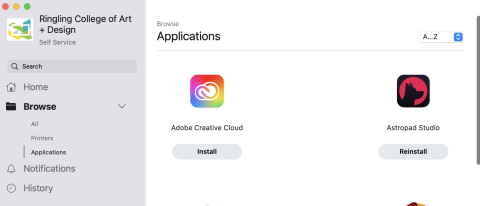
If you have checked out a MacBook from Notebook Services, Ringling's version of Creative Cloud Desktop App (and other software and printers) can be installed from within the app:

Ringling Self Service
NOTE: You must be on campus Wi-Fi or connected to the VPN in order to download the Creative Cloud Desktop App and to manage Adobe applications.
Once installed, you will find a new folder called Adobe Creative Cloud in your /Applications folder. Double-click on Adobe Creative Cloud to launch.
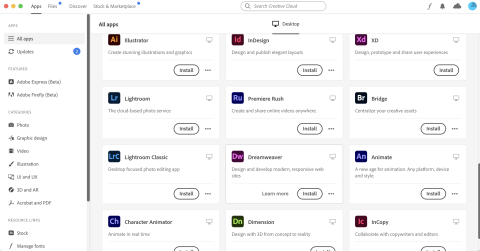
Once you are signed in, you will be able to download and install Adobe products that are available to you.
Option #2: Direct Download
NOTE: You must be on campus Wi-Fi or connected to the VPN in order to download the Creative Cloud Desktop App and to manage Adobe applications.
Mac users without a Ringling-supplied computer and needing to install Ringling's version of Adobe Creative Cloud Desktop App can download it the using the one of the links below.
To determine what you need, Go to Apple menu in top left, then choose About this Mac.
You will either see "Processor" listed (intel) or "Chip" (Apple Silicon)
(you must have administrator rights to download and install):
macOS(64-bit) Intel-based "Processor": DOWNLOAD
Right-click Download button and choose "Save Link As..."
If your browser blocks the download choose "Keep"
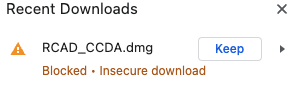
macOS M1 or M2 (64-bit) Apple Silicon-based "Chip": DOWNLOAD
Select this option if you are using an M1 or M2 Macbook (made after November, 2020)
Right-click Download button and choose "Save Link As..."
If your browser blocks the download choose "Keep"
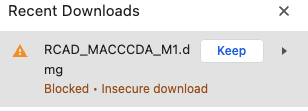
Open the downloaded DMG. Inside you will find the RCAD_MACCCDA.pkg file. Important: you will likely receive an error if you simply double-click it. To open a pkg file that is not from Apple's App Store you can right-click the pkg file then choose open.
Once installed, you will find a new folder called Adobe Creative Cloud. Double-click on Adobe Creative Cloud to launch.
Once you are signed in, you will be able to download and install Adobe products that are available to you.
NOTE: You must be on campus Wi-Fi or connected to the VPN in order to download the Creative Cloud Desktop App and to manage Adobe applications.